
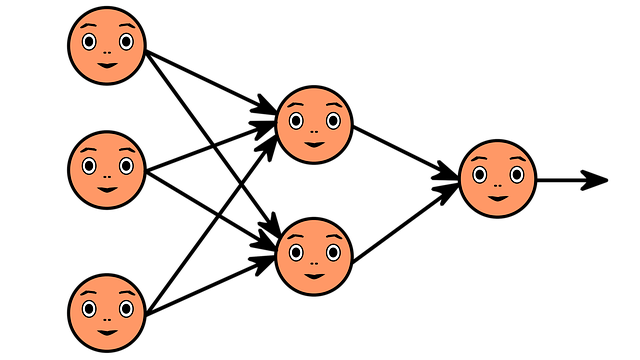
In the previous section, we saw how a single artificial neuron works. But a neuron on its own isn't very useful. Its true usefulness comes when you connect multiple neurons together to form a layer. In this section, we'll look at that in a little more detail.
What Is a Layer?
In simple terms, a layer is a bunch of neurons that work with the same input data, but each neuron processes that data with different weights and biases. This data can come directly from the input or from a previous layer. Thanks to the different weights and offsets, each neuron can recognize different patterns in the same data.
For example, if we analyze an image with a neural network, some neurons can recognize vertical lines, others horizontal lines, and still others oblique lines. By combining these appropriately, it becomes possible to recognize more complex shapes. This is how Facebook's feature that recognizes faces in photos works, for example.
Let's look at an example.
For the sake of illustration, let's build a simple layer with:
- 4 inputs: x1, x2, x3, x4
- 3 neurons
Each neuron uses four weights (one for each input) and a bias, from which it calculates its own output value.
z_j= w_{j1} \cdot x_1 + w_{j2} \cdot x_2 + w_{j3} \cdot x_3 + w_{j4} \cdot x_4 + b_jIn this formula, j refers to each neuron (1, 2, 3). After the calculations are done, the output of the layer will be a three-element vector: [z1, z2, z3]. This can be either the input to a next layer or a final result that is not processed further.

Python example: calculating the output of a layer
Let's see how we can program the above example in Python.
Important: in this example we do not use an activation function, we only calculate the “raw” output data.
# A layer with 3 neurons and 4 inputs

inputs = [1, 2, 3, 2.5]
weights = [[0.2, 0.8, -0.5, 1.0],
           [0.5, -0.91, 0.26, -0.5],
           [-0.26, -0.27, 0.17, 0.87]]
biases = [2, 3, 0.5]

# Output of the layer
layer_outputs = []

# Calculate the output of each neuron
for neuron_weight, neuron_bias in zip(weights, biases):
    # Calculate the weighted sum
    neuron_output = 0
    for n_input, weight in zip(inputs, neuron_weight):
        neuron_output += n_input * weight
    # Add the bias
    neuron_output += neuron_bias
    # Append the output of the neuron to the layer outputs
    layer_outputs.append(neuron_output)

print("Output of the layer:",layer_outputs)

>>>
# Output of the layer4.8, 1.21, 2.385]
Why Is This Useful?
A layer of multiple neurons can recognize multiple patterns in data at once. This is the first step towards building deeper networks, where we can stack multiple layers on top of each other to solve increasingly complex problems.
Next Article
In the next article, we will look at why it is worth using the NumPy library instead of pure Python solutions. It can calculate a single layer or even an entire network much faster and more elegantly, especially when the network is larger and consists of multiple layers.

